
• Hey Guest!
    British Car Forum has been supporting enthusiasts for over 25 years by providing a great place to share our love for British cars. You can support our efforts by upgrading your membership for less than the dues of most car clubs. There are some perks with a member upgrade!

    **Upgrade Now**
    (PS: Upgraded members don't see this banner, nor will you see the Google ads that appear on the site.)
Tips
Tips

Best way to destroy hard drive?

OK.... I have removed the hard drive. It's a Seagate Barracuda 7200.10, 250GB.
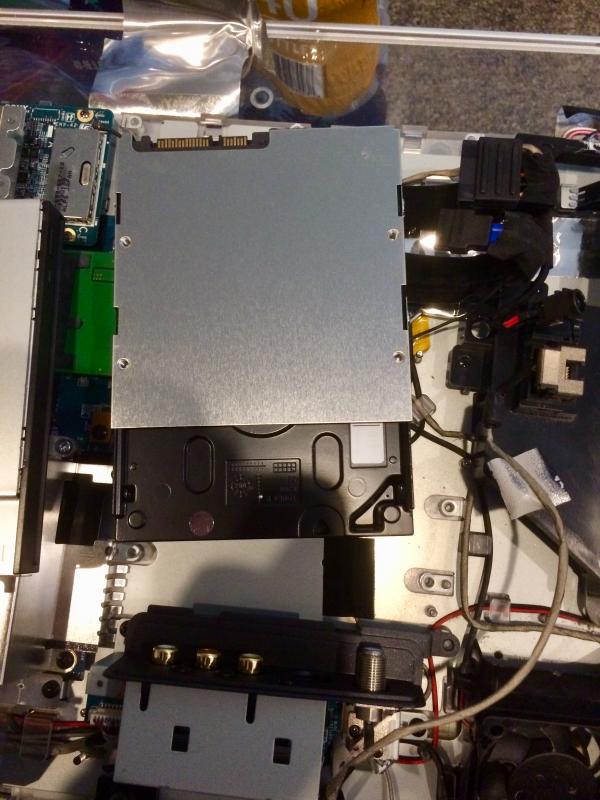
IMG_4374.jpg


I hooked up with some cables and was able to see it on my Mac.
If I want to use it backup the files on my Mac what do I have to do to make it compatible?
 
Elliot - try copying a Mac file onto the Seagate. Then sea (edit: see) if the Mac can open the file that's on the Seagate. If you can copy and read, then try renaming it and copying it back to the Mac and try to open it. If all goes well, it's "compatible".

Tom M.
 
Thanks Tom. I’ll give it a try.
 
The external hard drive is formatted NTFS so I can only read files off of it and not write files from my Mac onto the external hard drive.
Obviously I'll have to reformat or partition the hard drive. I need to think about the best way to proceed.
 
I still have to connect a device to my computer to back it up (hard drive or USB drive). As for formatting, I only have to do that once and it's done.
The hard drive I removed is plenty big for my applications (250 GB) so I'll probably keep it and reformat it. It doesn't appear that hard to accomplish.
 
Walt - how old is that hard drive?

I wouldn't want to bet my backups on a drive which may have some grey hair.

Just sayin'
 
:iagree:

BUT: If you are determined, get that UBCD .iso and make either a bootable thumb drive or CD, low-level format the drive and then introduce it to your Mac for formatting.
 
Tom, I'm not sure how old Elliot's HD is.
 
The computer had a Vista operating system. I’m guessing it’s at least ten years old. The computer hasn’t been used in the last 4 or 5 years. The drive is in fine shape and I would have no problem using it.
 
It would have been easier for him to number the drives before shooting them. Guess he'll have to do it again.
 
I've had 2 hard drives fail on me. Both were fairly new, as in less than a year and not running around the clock. Both were Seagates.
 
If you look at that guy's YT videos, you see a man with a whole lot of time on his hands!
 
I've had 2 hard drives fail on me. Both were fairly new, as in less than a year and not running around the clock. Both were Seagates.

Interesting I have a Seagate NAS that works - then overheats and shuts down and then works again. annoying
 
Interesting I have a Seagate NAS that works - then overheats and shuts down and then works again. annoying

JP - I think that drive is trying to tell you something. hint hint
 
Interesting I have a Seagate NAS that works - then overheats and shuts down and then works again. annoying
Hmmmm..... I just read (yesterday) that there’s a vent hole on my Seagate 7200. The instructions say Do not cover this vent hole. Wondering if this could applicable to your Seagate?
 
Back
Top