Hey Guest!


Offline
What do I need to do this (inexpensively!)?
I want to hear my TV/stereo/DVDs using headphones - without running long wires or cables. Even cranking up volume from the usual 26 to over 70 sometimes doesn't help.
Here's what I want to do:
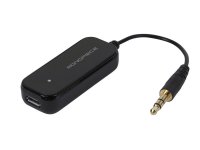
- Plug some type of wireless "broadcaster" unit into my stereo amp's headphone output jack.
- Wear headphones or pods to listen to the audio while in any room within 50 feet of the "broadcaster". Headphones could have wireless built in, or just plug into a wireless receiver.
I'm frustrated at many TV shows and DVD movies, where the dialogue seems to be a contest about who can speak softest. And CC text on the screen isn't very reliable.
Thanks.
Tom M.
I want to hear my TV/stereo/DVDs using headphones - without running long wires or cables. Even cranking up volume from the usual 26 to over 70 sometimes doesn't help.
Here's what I want to do:
- Plug some type of wireless "broadcaster" unit into my stereo amp's headphone output jack.
- Wear headphones or pods to listen to the audio while in any room within 50 feet of the "broadcaster". Headphones could have wireless built in, or just plug into a wireless receiver.
I'm frustrated at many TV shows and DVD movies, where the dialogue seems to be a contest about who can speak softest. And CC text on the screen isn't very reliable.
Thanks.
Tom M.