
• Hey Guest!
    British Car Forum has been supporting enthusiasts for over 25 years by providing a great place to share our love for British cars. You can support our efforts by upgrading your membership for less than the dues of most car clubs. There are some perks with a member upgrade!

    **Upgrade Now**
    (PS: Upgraded members don't see this banner, nor will you see the Google ads that appear on the site.)
Tips
Tips

Viewing trouble

Rhodyspit75

Jedi Knight
Country flag
Offline
The pub is the only forum I can view without getting this. 2647082F-881E-4AFB-A34E-6CFB9848364F.jpg
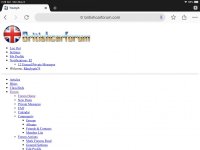
Help! I have logged out, closed and reopened Chrome and shut down and restarted my iPad. What next?
 
In Chrome, clear all the history and cache files. Close and re-open Chrome.

Let us know if that helps.
Tom M.
 
Great. Glad it worked.

Please send gratuity to my Swiss bank account.

:angel:
 
Hi David - that's probably because CCleaner clears the browser(s) cache data, cookies, history, etc.
 
My phones been doing it the last few days, only site that's doing that.

Clear the browser cache / cookies on your phone's browser. I was doing some work on the site that caused that to happen and what you are seeing now is a "cached" version of the site.
 
Hi David - that's probably because CCleaner clears the browser(s) cache data, cookies, history, etc.
Unless you move the cookies to the save side.
Options-Cookies, the ones in the box on the left get deleted (cookies on computer), either drag BCF (and anything else you want) to the right (cookies to keep), or highlight and click the right arrow between boxes.
Now is a good time to do it, after clearing everything, so you don't have thousands to go through.
 
Well I guess it worked so smoothly for me that I didn't even notice until this thread. Way to go Boss. Give yourself a first place.
 
I must have been logged on as you were working on it, saw the "directory" version once. Logged out, shut down Chrome and reopened, cleared cache/history, typed the HTTPS;// and got a blank screen. A bit later entered www.britishcarforum.com and saw the change-over addy. All went well after that. Nicely done!
 
I must have been logged on as you were working on it, saw the "directory" version once. Logged out, shut down Chrome and reopened, cleared cache/history, typed the HTTPS;// and got a blank screen. A bit later entered www.britishcarforum.com and saw the change-over addy. All went well after that. Nicely done!

Yep, most likely you accessed before I figured out all the bugs.
 
Only reason I noticed the change from http to https was because my links that I had already read (which turn red after clicking on them) were blue again....otherwise it was an invisible change.
 
Back
Top