Follow along with the video below to see how to install our site as a web app on your home screen.
Note: This feature may not be available in some browsers.
Hey Guest! British Car Forum has been supporting enthusiasts for over 25 years by providing a great place to share our love for British cars. You can support our efforts by upgrading your membership for less than the dues of most car clubs. There are some perks with a member upgrade!
**Upgrade Now** (PS: Upgraded members don't see this banner, nor will you see the Google ads that appear on the site.)
Tips
We have a special forum called "Member Articles" where you can submit actual articles for consideration for publication. Learn More
Don't have an Avatar? If not, your avatar will default to the 1st character in your username. Go into "Account Details" to change your Avatar.
Hey there Guest - be sure to keep your profile page up to date with interesting info about yourself: learn more
What the heck is that "Resources" tab up there all about? Learn more
More tips and tricks on Posting and Replying: click
Everything you've ever wanted to know about bookmarks, but were afraid to ask: Learn More
STOP!! Never post your email address in open forums. Bots can "harvest" your email! If you must share your email use a Private Message or use the smilie in place of the real @
Want to mention another member in a post & get their attention? WATCH THIS
So, you created a "Group" here at BCF and would like to invite other members to join? Watch this!
Hey Guest - A post a day keeps Basil from visiting you in the small hours and putting a bat up your nightdress!
Hey Guest - do you know of an upcoming British car event? Pretty Please - add it to our Events forum(s) and add to the calendar! >> Here's How <<
Hey Guest - you be stylin' Change the look and feel of the forum to fit your taste. Check it out
If you run across an inappropriate post, for example a post that breaks our rules or looks like it might be spam, you can report the post to the moderators: Learn More
If you would like to try some different "looks" or styles for the site, scroll to the very bottom, on the left and click the Style Selector.
I hardly ever use the exposure module. Looking at the histogram at the top right of Darkroom, if there is an area at either end that falls off, you can mouse drag left or right to pull the exposure to fill the entire graph. This is slightly different from exposure because it is increasing the tonal range instead moving everything equally. Of course, you can use masks to change exposure in certain areas, but I think
It's worth going through all the adjustment modules and move the sliders for each parameter to their limits just to see what crazy stuff happens. When you use them for real, it will be a more subtle adjustment.
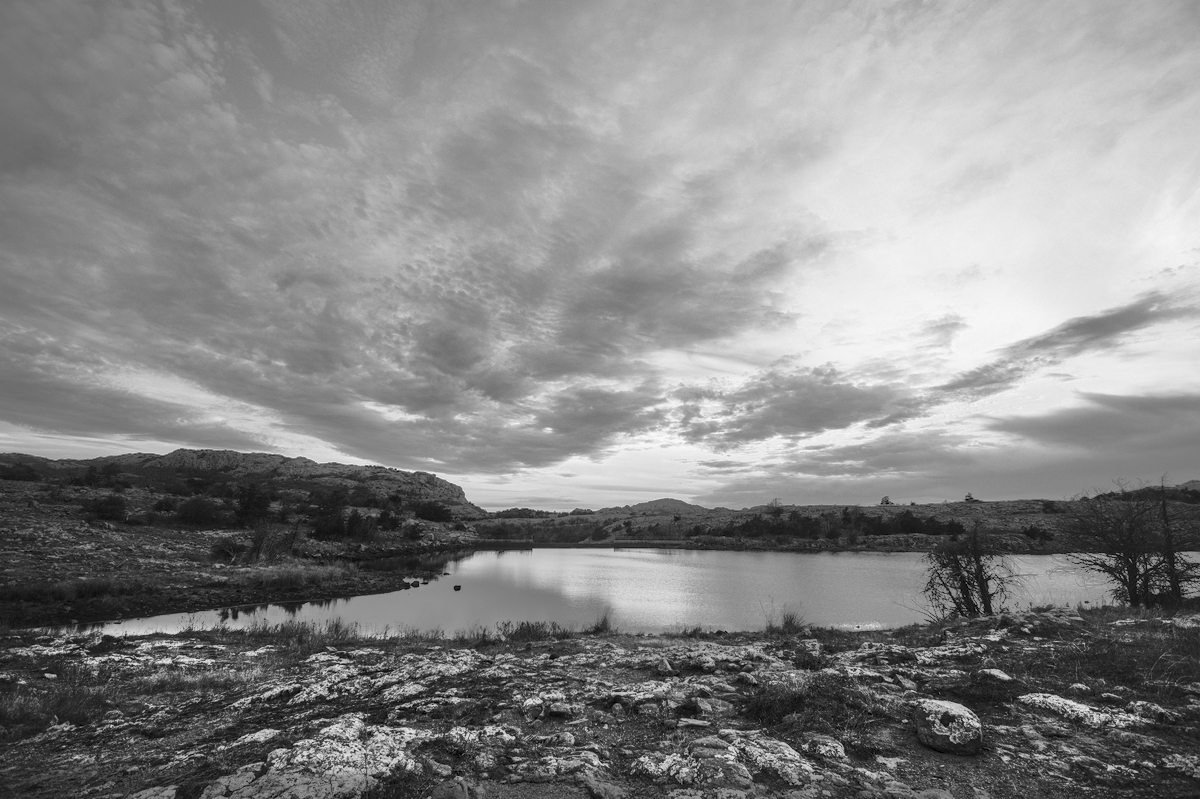
Okay, that is awesome. I really need to just spend some time in Darktable and really learn how to use it well. This picture is so much better than my original one.
I was using Darktable. "Shadows and Highlights" and "Local Contrast" were the major adjustments. A final "Local Contrast" was masked to only affect the foreground rocks. The rocks on the other side of the lake (left side) was how bright the foreground rock were before the last "Local Contrast"
Greg, did you increase the exposure of just the foreground and mountains in the background? When I brought the exposure up to where it had this kind of nice detail in the foreground it blew out the sky.
This site uses cookies to help personalise content, tailor your experience and to keep you logged in if you register.
By continuing to use this site, you are consenting to our use of cookies.
 Hey - did you know if you click on the title of a thread it will take you to the first unread post since you last visited that thread?
 but were afraid to ask:
  STOP!! Never post your email address in open forums. Bots can "harvest" your email! If you must share your email use a Private Message or use the
  smilie in place of the real @
 Pretty Please - add it to our Events forum(s) and add to the calendar! >>



 Hey Guest!