Hey Guest!

 Hey - did you know if you click on the title of a thread it will take you to the first unread post since you last visited that thread?
 but were afraid to ask:
  STOP!! Never post your email address in open forums. Bots can "harvest" your email! If you must share your email use a Private Message or use the
  smilie in place of the real @
 Pretty Please - add it to our Events forum(s) and add to the calendar! >>

Offline
One of the settings I have is the option to allow people to make full-size imaged in their posts or to have them show in the post as thumbnails. Up until now I had it set to allow the option. When you would upload a picture it would first show up as a thumbnail, but you had to double click the thumbnail and select "full size" from a pop up window, then save the picture.
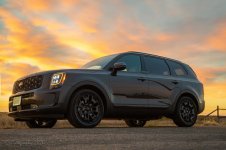
However, since many people don't know that they need to double click the image and select "full size" BEFORE they save the post, I have disabled that option. Now, when you upload an image to a post, it will still show as a thumbnail in the editor, but as soon as you save the post, the image(s) will show as full sized. For example, the following image was uploaded and showed as a thumbnail in the editor, but as soon as I saved this post, it will show in the post as full-sized without be having to do anything.
However, since many people don't know that they need to double click the image and select "full size" BEFORE they save the post, I have disabled that option. Now, when you upload an image to a post, it will still show as a thumbnail in the editor, but as soon as you save the post, the image(s) will show as full sized. For example, the following image was uploaded and showed as a thumbnail in the editor, but as soon as I saved this post, it will show in the post as full-sized without be having to do anything.