• Hey Guest!
    British Car Forum has been supporting enthusiasts for over 25 years by providing a great place to share our love for British cars. You can support our efforts by upgrading your membership for less than the dues of most car clubs. There are some perks with a member upgrade!

    **Upgrade Now**
    (PS: Upgraded members don't see this banner, nor will you see the Google ads that appear on the site.)
Tips
Tips

BCF webpage appearance?

NutmegCT

Great Pumpkin
Bronze
Offline
It's 6pm EST and I just checked in to BCF.

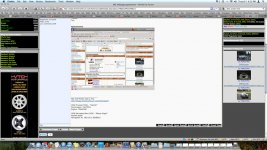
Whether I'm logged in or not, the page configuration has changed. Now the three columns (headers: Contact Us, Forum, Forum Stats) are all the same width. Each post is very "narrow", and you have to scroll down two or three screens to read even a short post.

See attached.

Anyone else notice the changes?

Thanks.
Tom
 
It does not look that way on my computer...
 

Attachments

  • 25717.jpg
    25717.jpg
    183.4 KB · Views: 53
Same here, Tom. Right side column is much larger than it was, and the middle is smaller.
 
The appearance changed this afternoon. I upgraded Firefox last week, but the change appears in my other browser too.

Thanks Mick for confirming you're seeing it too!

T.
 
I am gonna have to log out and see.
Logging out now
 
OK, I'm back.
Can't say if it's any different.
Don't know if I pay enough attention to that as I try to blow thru it as quick as I can
 
/shrug no right side menus here... Firefox 5...

could be the personal BCF settings i have? can't remember if that's possible or not...
 
It is because someone posted some pictures to the Gallery and chose to post them in multiple areas. There is a bug in the software that pulls the picture forward to be displayed on the main foerum page. If the same file is posted to multiple Gallery areas, only the first occurance of the image is show, but onlt the "path" to the image for the other areas. If the path is very long, then it forces the width to be too long. Once others post pictures in the gallery that replace the current "new" pictures, the problem will go away.
 
Basil said:
It is because someone posted some pictures to the Gallery and chose to post them in multiple areas. There is a bug in the software that pulls the picture forward to be displayed on the main foerum page. If the same file is posted to multiple Gallery areas, only the first occurance of the image is show, but onlt the "path" to the image for the other areas. If the path is very long, then it forces the width to be too long. Once others post pictures in the gallery that replace the current "new" pictures, the problem will go away.

Glad to hear that Basil, now someone please upload a photo of their car to fix this... :hammer:
 
Isn't the internet great? :rolleyes:
 
Reason I asked, is some folks are reporting 4.0 or 4.5 auto-upgrading to 5.0.
My home page looks like that, always has, but individual pages (screen resolution) are such that the message column fills the screen. Always has. I ise IE6 on BCF.
 
Don't want to be a Suzy Sourpuss but I hate the configuration. Can you just delete the photos?
:thankyousign:
 
Basil said:
I've uploaded some additional photos - should be fixed now.

Fixed! Thank you sir!

Tom
 
Saw that yesterday, realized the cause, shrugged and went on... :wink:
 
Some of us don't deal well with change, Doc.

Thank you Boss, I feel much better now.

Such small things to make a person a happy.

:banana:
 
Basil said:
If the path is very long, then it forces the width to be too long.

So, is that related to the issue of when the text area in a message extends beyond my screen size at times? When that happens, in order to read a message, if longer than ten or twelve words, I have to scroll back and forth.
 
Back
Top