
• Hey Guest!
    British Car Forum has been supporting enthusiasts for over 25 years by providing a great place to share our love for British cars. You can support our efforts by upgrading your membership for less than the dues of most car clubs. There are some perks with a member upgrade!

    **Upgrade Now**
    (PS: Upgraded members don't see this banner, nor will you see the Google ads that appear on the site.)
Tips
Tips

Another computer question

DavidApp

Yoda
Country flag
Offline
On vacation last week I was going to move some photos around on one of my 500GB WD Passport external drives. Had it plugged and accessed it then I shut the laptop down.
Next morning when I booted the laptop I got this message as I attempted to access the drive.
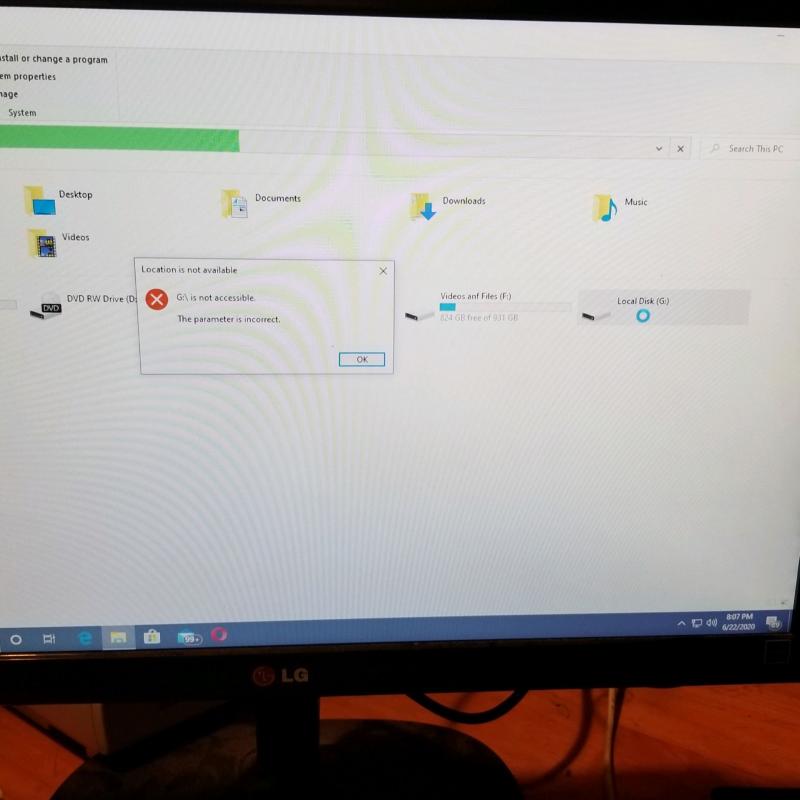
Hard drive reduced.jpg
Right clicking on the drive and going to properties I get this.
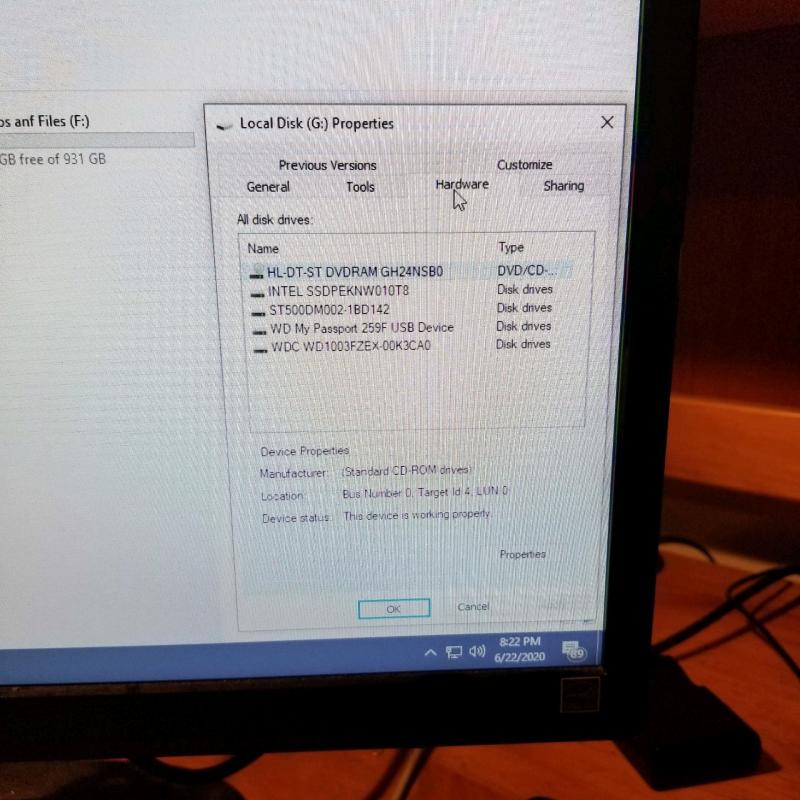
Hard drive 2 reduced.jpg
Any ideas on how I get my drive back?

David
 
David - you have a lot of drives! In that second photo, what did "General" show on that G drive?

Suggestion: shut down the laptop (not sleep, actual shut down/power off).

After about ten seconds, unplug all the external drives.

After another ten seconds, plug them back in.

Restart the laptop, wait for it to settle, then open Explorer and see if all the drives show up. Then do the G drive properties again.

Let us know what you see. (the screen shots are *really* helpful)

Tom M.
If this doesn't fix the problem, we'll move to Step Two: chkdsk
 
Hello Tom

Thank you.

The screen shots are of my desktop. I will do what you suggested on my laptop and get back to you. Someone I had worked with had asked if the same thing happened on another computer as well as the laptop.

David
 
Thanks David. I was assuming those screen shots came from the laptop that actually had the problem. Sometimes external drives don't play nicely with the main system (desktop or laptop), if the drive(s) is unplugged and the main system is still accessing it.

So are you saying the drive problem info in the screen shots is the same for both the laptop and the desktop?

Anyway, give my suggestion a try.

Tom M.
 
Hello Tom

Yes I get the same result on both machines. I had in fact been using the problem drive on the desktop for back up and photo files. Always ejecting the drive correctly using the Safely remove drive.

I did what you suggested on the laptop. I do have a laptop running Linux but this drive has never been connected to that machine.

David
Laptop 3 s.jpg
Laptop 2 s.jpg
Laptop 1 s.jpg
 
OK, thanks. The photos are showing the laptop screen. Can you copy any files to the E drive?

T.
 
No it says it is not accessible when I try to open the drive.

David

Thanks for the update. Next step:

Do you know how to run CHKDSK as administrator?
 
OK - here you go:

task bar at bottom of screen, type cmd in the search window.

you'll see Command Prompt in the results.

right click on Command Prompt, and choose Run as Administrator.

say Yes when system asks if you ok its use to make changes.

you'll see the command window open (looks like an almost empty box)

the problem drive is "E", so in that command window, type:

chkdsk e: /r

hit enter and let me know what you see.

Note: there's one space after chkdsk and one space after e:
 
Not sure what you're asking. Could you just try what I suggested?
 
Thank you for the directions.

It is doing something now. Has 3 hours 40 minutes to go. In Stage 5.

I am on the desktop as I did not want to disturb what the laptop was doing.

David
 
That's a *big* external drive, and chkdsk was developed around 1980. Patience is the key word, as it finds and repairs corrupted files and directory information.

Was that drive ever backed up onto another device?

Tom M.
 
No that was one of the backup drives. Sounds like I need another backup for the back up.

David

OK - so if you lose the drive, you haven't lost anything?
 
I am not sure exactly what was on it except some of my bank statements along with laptop backups. I had been keeping that drive unplugged so my bank stuff was not on line all the time. I have one bank account that only does e docs.

David
 
It's about 6:30pm EST. Is chkdsk still running?
 
Just finished about 30 minutes ago.

It is back with us again.

Thank you so much for your help with my problem.

I did try chkdsk while I was on vacation but I think I must have missed a space in the command line so nothing happened. Also I did the f not the r command.

David
 
Back
Top
